
Practical fit
Free AI Image Editor: practical buying guide
Use this page to decide whether Free AI Image Editor is the right Clipin workflow before you spend more credits, not as a promise that every generation will be final on the first try.
When this page is a good fit
- Free AI Image Editor is useful when editing owned photos with plain-language instructions before publishing or using them in video work.
- Choose Free AI Image Editor when you need to check whether cleanup, enhancement, or background edits look natural.
- Free AI Image Editor is worth credits when you have several assets that need practical edits without opening a complex design tool.
- Use Free AI Image Editor output as the edited still can support product pages, thumbnails, profile updates, or video scenes.
- Review Free AI Image Editor results before scaling a batch.
- Free AI Image Editor works best when the source material and prompt are clear.
- Keep Free AI Image Editor realistic: AI edits still require review for rights, accuracy, and sensitive identity content.
- Compare Free AI Image Editor variations before buying more credits.
- Free AI Image Editor can support paid projects when the result passes your own review.
- Start small with Free AI Image Editor, then spend more only after one result proves useful.
- Free AI Image Editor should save time without replacing judgment, rights checks, or creative review.
Related workflows to understand first
background remover helps when you need background removal as part of a broader image-editing pass.
Use background remover as a checkpoint before spending more credits.
background remover should produce an asset you can inspect, keep, edit, or reject.
edit photos helps when you want to edit photos with natural-language changes.
Use edit photos as a checkpoint before spending more credits.
edit photos should produce an asset you can inspect, keep, edit, or reject.
image enhancer helps when you are using an enhancer workflow before a still becomes a published asset.
Use image enhancer as a checkpoint before spending more credits.
image enhancer should produce an asset you can inspect, keep, edit, or reject.
A Free AI Image Editor That Understands Plain Language
Use plain instructions for background remover, image enhancer, and style change tasks. The free AI image editor applies the requested edit after processing.
Edit Photos with a Text Description
Type what you want — 'remove the background', 'change the jacket to navy', 'add a mountain view behind the subject'. The editor identifies the relevant area and applies the change without manual selection.
Background Remover and Replacement
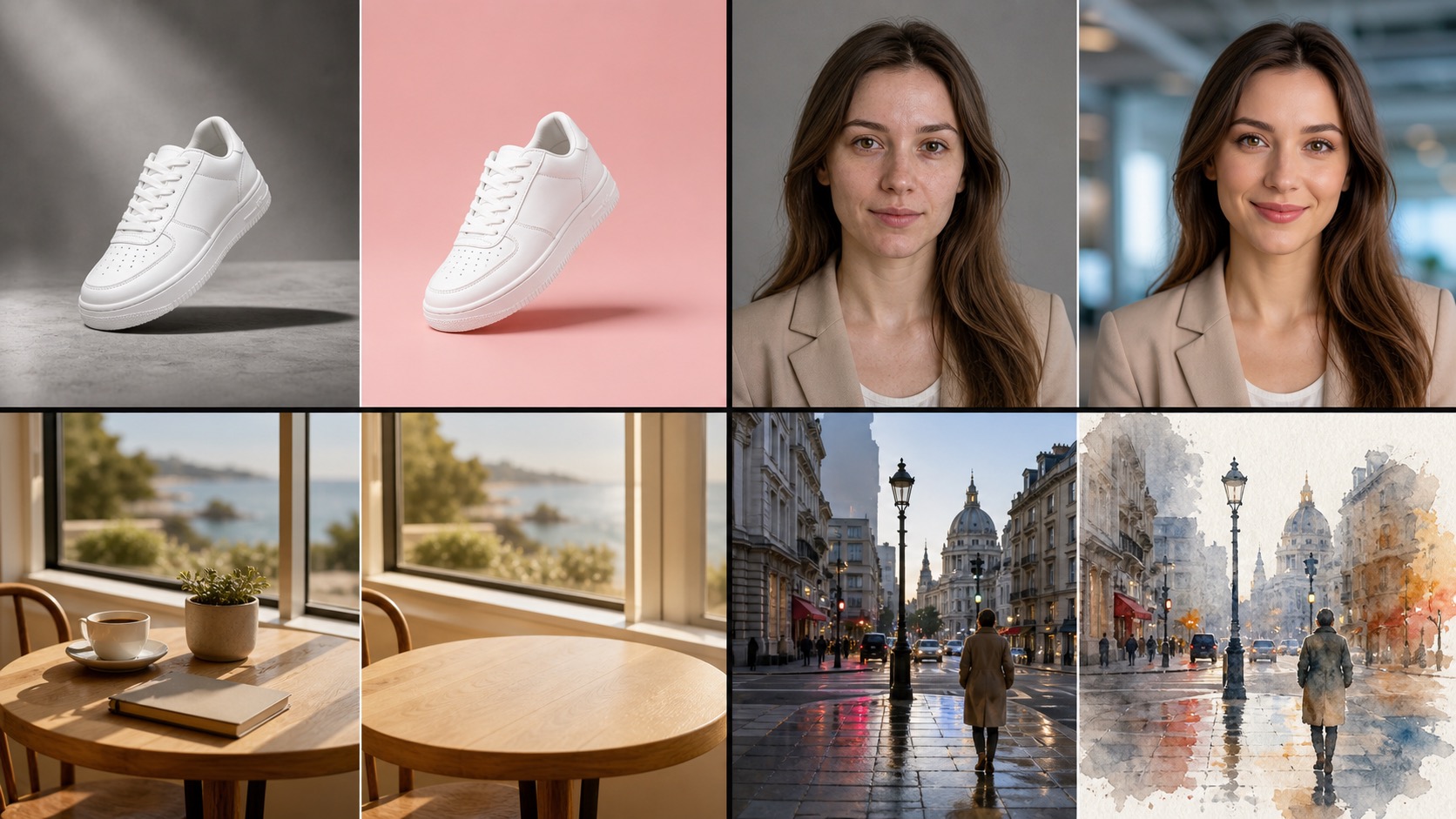
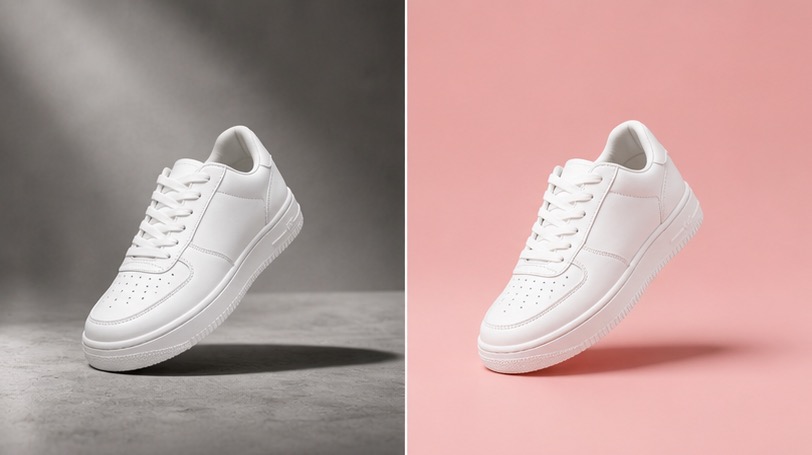
The AI image editor's background remover can remove a background or swap it for something new. Describe the new scene — studio backdrop, city skyline, outdoor setting — and review the composite carefully.
Object Removal and Addition
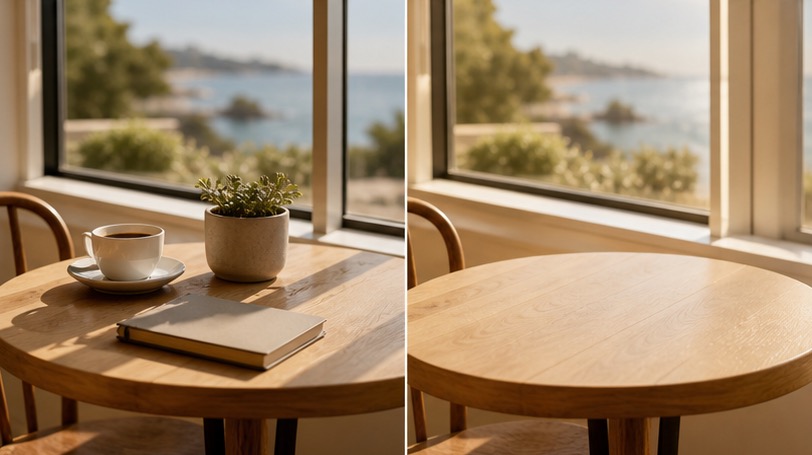
Remove unwanted elements from a photo or add something that was never there. The AI image editor works alongside the background remover for full scene cleanup — all from a plain-text description.
Style and Color Adjustments
Change the overall look with one instruction: 'make it black and white', 'warm cinematic grade', 'watercolor painting'. The AI image editor applies broad style swaps in a single pass.
Combine Multiple Source Photos
Merge elements from two photos in a single edit — 'use the subject from this photo with the background from that one'. Describe the result and the AI image editor handles compositing and blending.
Image Enhancer for Detail and Quality
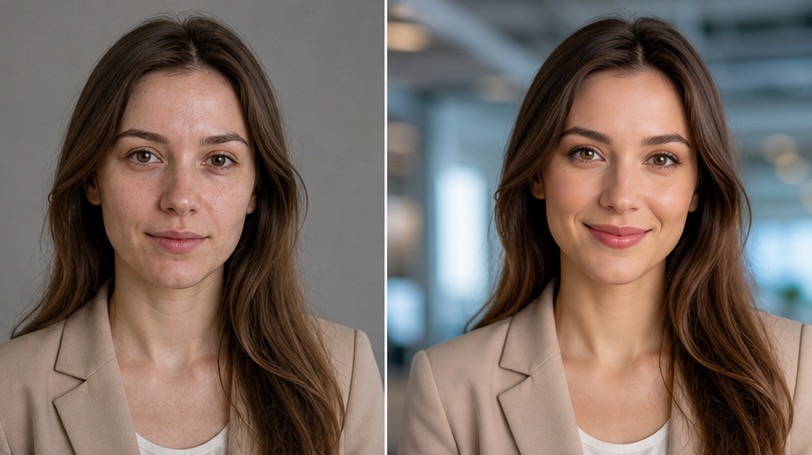
The built-in image enhancer sharpens detail, smooths skin tones, brightens specific areas, and cleans up low-resolution captures. Combine with the background remover for polished, production-ready results.
Non-Destructive Editing History
Each edit creates a new version — the original is never overwritten. Roll back to any previous version from history and try a different instruction at any time.
Fast Turnaround
Most edits complete in 15 to 30 seconds. Iterate rapidly by trying multiple instruction variations — the AI image editor rarely takes more than a minute per edit.
Usage Terms Depend on the Edit
Use edited output according to current plan terms, provider rules, source assets, and the content itself. Review rights before using AI image editor results in advertising, client deliverables, product listings, or published content.
Try the Free AI Image Editor — No Design Skills Needed
Upload any photo and describe the change. Background remover, object edits, style swaps, and retouching all work from a single text instruction. Check the current free-credit and access policy before the first try.
AI Image Editor for Portraits, Products, and Marketing
Use it for practical edits: product cutouts for e-commerce, portrait retouching, and marketing asset style swaps. Describe the edit in plain language and the AI image editor applies it without layers or manual selections.
AI Image Editor Output Ready to Publish
Edited photos can support product pages, profiles, thumbnails, social posts, and visual reference boards. You can download the result or keep editing from the same history.
Free AI Image Editor — FAQ
- Upload a photo, type what you want changed, and review the result after processing. The edit is guided by the instruction, so no manual selections, masks, or layers are required.
- The AI image editor supports background removal and replacement, object removal and addition, color and style changes, lighting fixes, skin retouching, and artistic style transfer. If you can describe the edit in plain text, it may be able to apply it.
- No. The AI image editor uses your text instruction to determine which part of the image to change. You describe the edit in natural language; no manual selection is needed.
- Yes. The AI image editor creates a new version for every edit — the original is never overwritten. Try a different instruction, adjust the style, or roll back to any previous version from history at any time.
- Yes. Upload two source images and describe the result — 'use the person from the first image in the background from the second'. The AI image editor handles compositing and blending from your text description.
- New users may receive free credits for the AI image editor; check current access before generating. Each edit costs 10 to 30 credits depending on complexity.
- Most edits finish in 15 to 30 seconds. Complex background jobs or high-resolution enhancement passes take slightly longer — it rarely takes more than a minute per edit.
- Yes. The free AI image editor is well-suited for portraits, headshots, and group photos. Common edits include background removal, lighting fixes, clothing changes, and style transformations from a single instruction.
- Yes on any paid plan. Starter, Creator, and Studio subscriptions include usage terms shown by the current plan for every edit produced by the AI image editor. Free-tier outputs from the free AI image editor are for personal use only.
- Yes. Download the edited image for product listings, profile refreshes, client drafts, thumbnails, or social posts. You can also continue refining it before publishing.
Related Clipin tools
Continue from this tool into the adjacent generator, editor, or pricing page.