
AI Image Restoration for Old Photos and Visual Assets
Use the AI image restoration when an older photo, soft portrait, or damaged reference image needs a cleaner version for a memory story, profile, product archive, or visual reference. Upload one image, restore old photos with a focused 1-credit task, and prepare a more usable still asset for your creative workflow.
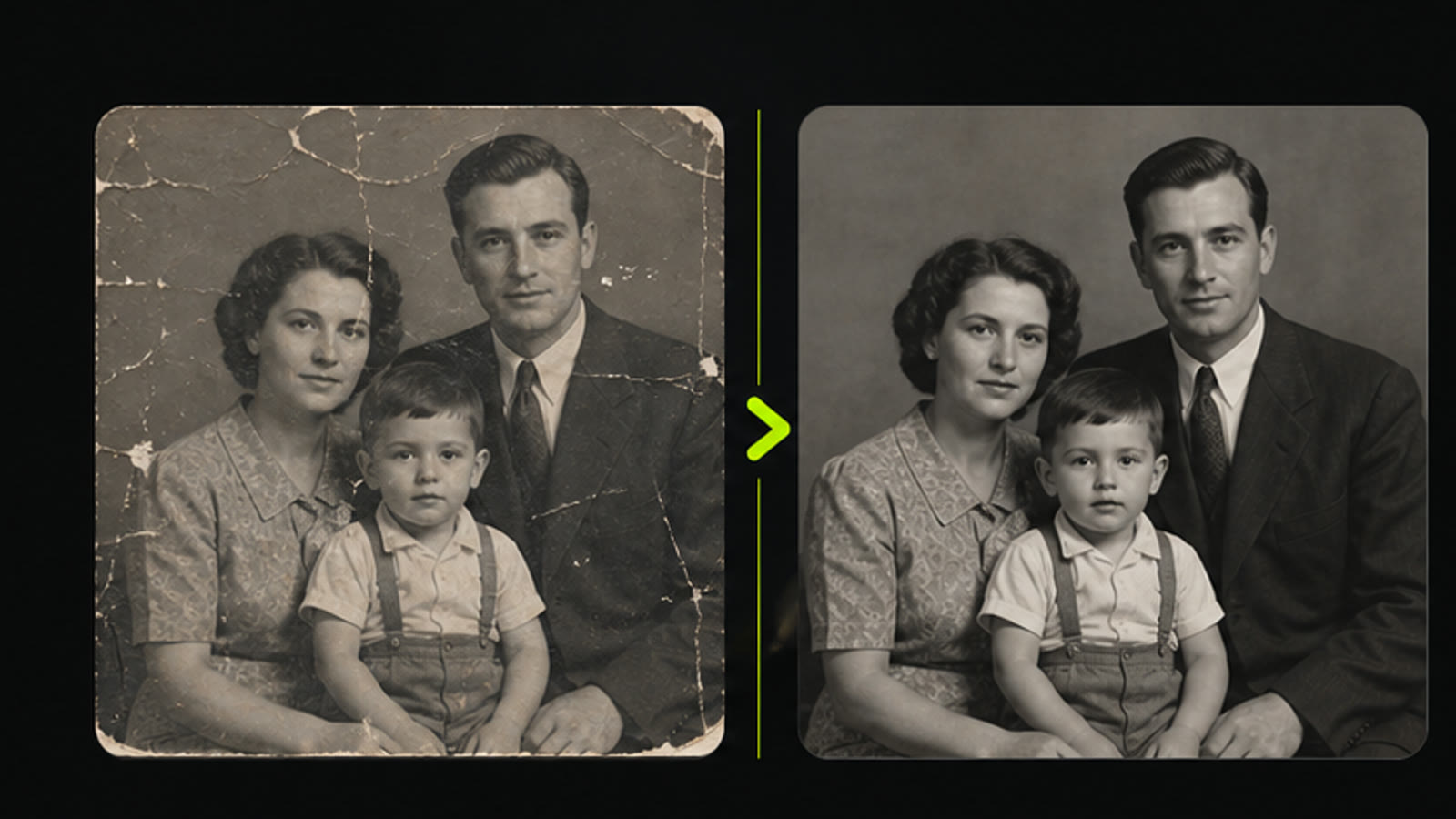
Practical fit
AI image restoration: practical buying guide
Use this page to decide whether AI Image Restoration is the right Clipin workflow before you spend more credits, not as a promise that every generation will be final on the first try.
When this page is a good fit
- AI image restoration is useful when repairing owned old photos, damaged scans, and low-quality memories before saving or reusing them.
- Choose AI image restoration when you need to inspect faces, scratches, color, and repaired areas before trusting the result.
- AI image restoration is worth credits when you have a batch of meaningful photos where cleaner restoration is worth reviewing.
- Use AI image restoration output as the restored image can become an archive copy, family share, profile image, or visual story asset.
- Review AI image restoration results before scaling a batch.
- AI image restoration works best when the source material and prompt are clear.
- Keep AI image restoration realistic: restoration is an AI reconstruction aid, not proof of historical accuracy.
- Compare AI image restoration variations before buying more credits.
- AI image restoration can support paid projects when the result passes your own review.
- Start small with AI image restoration, then spend more only after one result proves useful.
- AI image restoration should save time without replacing judgment, rights checks, or creative review.
- Use AI image restoration inside Clipin when you want a practical asset, not just a demo result.
Related workflows to understand first
restore old photos helps when you want to restore old photos before sharing or archiving them.
Use restore old photos as a checkpoint before spending more credits.
restore old photos should produce an asset you can inspect, keep, edit, or reject.
photo restoration AI helps when you need a restoration pass that still keeps human review in the loop.
Use photo restoration AI as a checkpoint before spending more credits.
photo restoration AI should produce an asset you can inspect, keep, edit, or reject.
repair damaged photo helps when you are trying to repair damaged photo areas without claiming complete reconstruction.
Use repair damaged photo as a checkpoint before spending more credits.
repair damaged photo should produce an asset you can inspect, keep, edit, or reject.
Why Use the AI Image Restoration?
the AI image restoration is a practical support tool for creators who need better source images before editing, publishing, archiving, or content planning. The current flow focuses on one uploaded image and a straightforward restoration run.
Single-Image Restoration Flow
Upload one image and let AI image restoration create a cleaner output. It is useful when a photo has softness, age, compression artifacts, or visible wear that makes it harder to use in a modern content layout.
Restore Older Images Before Reusing Them
When an older image needs to appear in a memory post, founder story, brand archive, or creator timeline, AI image restoration helps turn the source photo into a cleaner asset for the next creative step.
Clean Damaged Photo Inputs for Content
Use this page to improve damaged photo inputs before they move into a carousel, thumbnail, profile page, archive story, or product memory layout. Clearer outputs usually start with a clear subject and visible image detail.
Photo Restoration AI for Creator Workflows
Photo restoration AI is most valuable when the restored image becomes part of a larger workflow. Bring the result into an AI image editor, image upscaler, background remover, or content planning tools when a story needs cleaner visual material.
Credit-Aware Cleanup
The current restoration task uses 1 credit per run. That makes AI image restoration a lightweight preparation step before more expensive image editing, upscaling, profile design, or model-specific creative work.
Useful for Portraits, Memories, and Reference Frames
Use the restoration page for old portraits, event snapshots, scanned memories, product archive images, and reference frames that need a cleaner look before entering a modern content pipeline.
Short Processing Loop
The current task estimate is about 15 seconds, though queue and service conditions can vary. Run AI image restoration, review the output in your task list, and decide whether the image is ready for the next step.
No Manual Repair Controls Required
This page keeps the flow simple: upload an image and start the restoration task. There are no visible controls for scratch strength, color work, or region masking, so choose the source image carefully.
Better Inputs for Image Upscaling
After you clean worn photo material, the output can be a better candidate for image upscaling or additional editing. This makes the restoration page a useful first step in the visual asset workflow.
Honest Scope for Old Images
AI image restoration can improve some worn or unclear images, but missing faces, text, or important details may still require a better source photo.
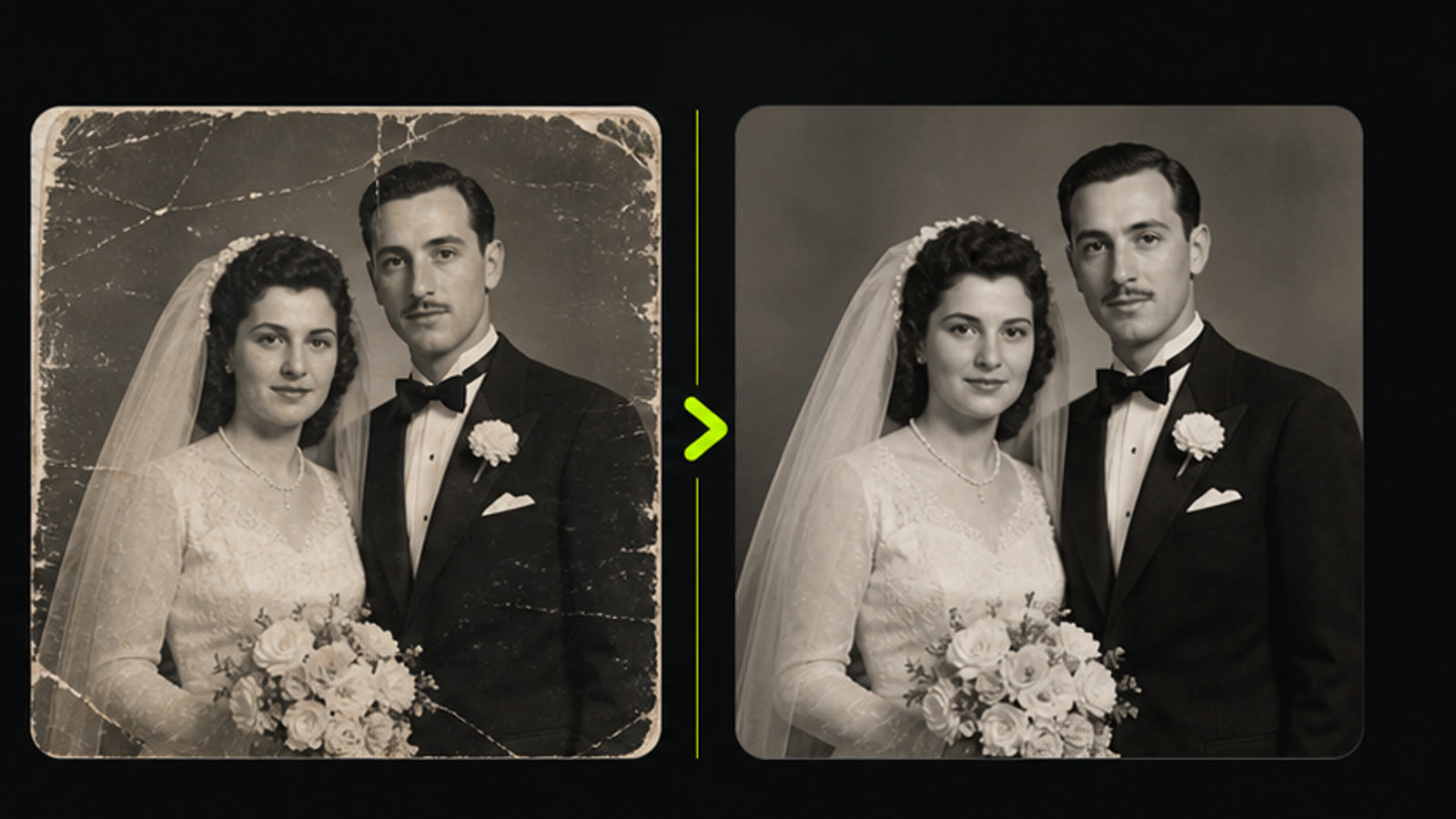
Repair One Image Before the Next Creative Step
The AI image restoration page is built for focused cleanup: upload one image, use the current 1-credit task cost, and review the result before using it in a profile, thumbnail, archive story, product memory, or image-editing plan.
Use Older Photos in Storytelling
Use AI image restoration when a family image, founder memory, historic product shot, or creator reference needs a cleaner look before it appears in a story post, profile page, archive layout, or visual presentation.
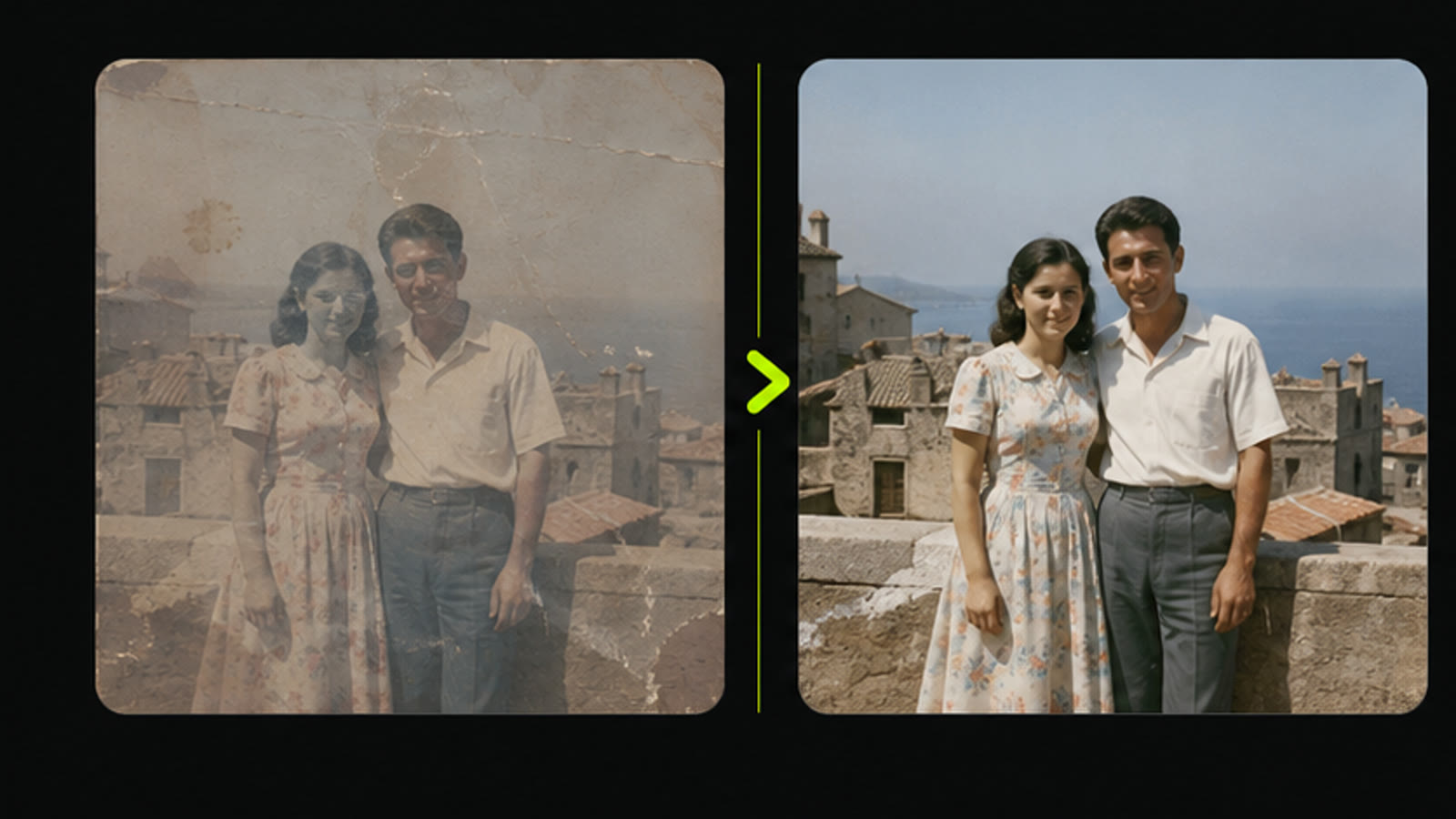
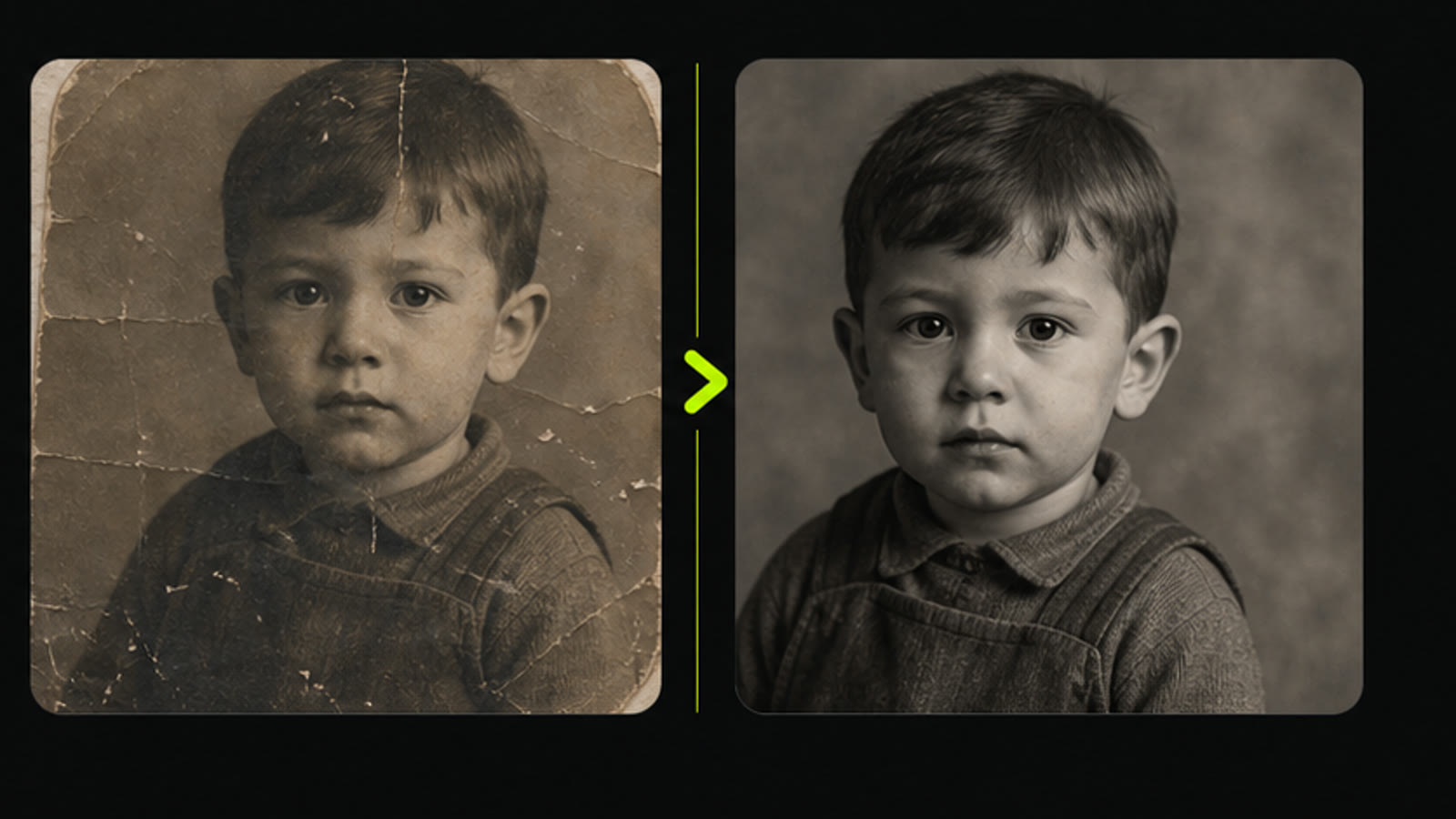
Turn Damaged Photos Into Usable Source Material
Photo restoration AI can help improve worn, faded, or low-clarity images so they become easier to reuse in image editing, background removal, image upscaling, content planning, and still-image publishing.
Image Restoration Questions
- the AI image restoration helps clean up one uploaded image so an old photo, soft portrait, or damaged visual can become more useful for editing, storytelling, archiving, profile use, or visual content planning.
- Upload one image, start the restoration task, and review the generated result in your task list when processing completes. The current page does not require prompt writing or manual repair settings.
- The current AI image restoration task uses 1 credit. That keeps it useful as an early cleanup step before image editing, upscaling, profile design, or content production work.
- Yes. Prompt improvement can help restore old photos when the original still contains enough visible detail. Very blurred, cropped, or heavily damaged sources may still need another attempt or a better scan.
- No restoration tool can rebuild every missing detail. the repair damaged photo flow works more reliably on images with recognizable subjects, visible faces, or details that the model can enhance.
- Old portraits, scanned memories, family photos, event images, low-clarity product archives, and creator reference photos can be good candidates for photo restoration AI.
- The current task estimate is about 15 seconds, but real timing can vary with queue and service conditions. The restored result appears in the task list when the run completes.
- The current flow is built around one uploaded image per task. If you need to clean several older photos, run the restoration flow separately for each source image.
- Use the cleaner result in an AI image editor, image upscaler, background remover, or content planning workflow. AI image restoration is often the first step before a stronger visual edit.
- Restored images pair well with the AI image upscaler, AI image editor, background remover, and image generation workflows when an old or damaged source image needs to become modern content material.
Related Clipin tools
Continue from this tool into the adjacent generator, editor, or pricing page.