AI Face to Sticker for Creator Avatar Assets
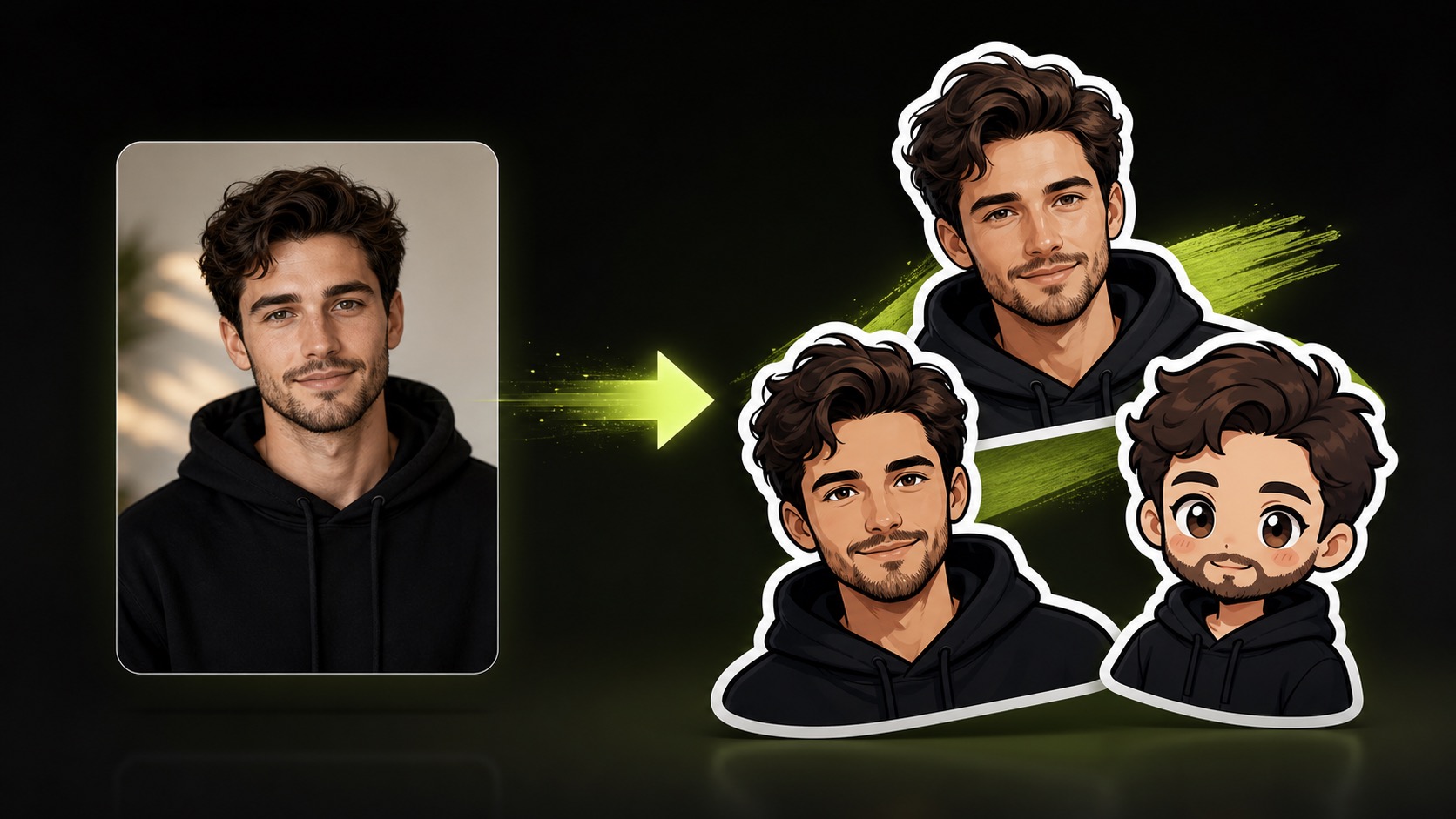
Use the AI face to sticker page when your own photo or an authorized portrait needs to become a playful creator asset. Upload one image, add a short prompt, and create a photo to sticker concept for social posts, profile visuals, reaction stickers, or avatar-style content planning.
Practical fit
AI face to sticker: practical buying guide
Use this page to decide whether AI Face to Sticker is the right Clipin workflow before you spend more credits, not as a promise that every generation will be final on the first try.
When this page is a good fit
- AI face to sticker is useful when turning an authorized portrait into an avatar sticker for profiles, stories, or creator graphics.
- Choose AI face to sticker when you need to check consent, likeness, tone, and whether the sticker is respectful.
- AI face to sticker is worth credits when you want several avatar sticker styles from a permitted portrait source.
- Use AI face to sticker output as the chosen sticker can move into social posts, profile kits, or video overlay planning.
- Review AI face to sticker results before scaling a batch.
- AI face to sticker works best when the source material and prompt are clear.
- Keep AI face to sticker realistic: use only portraits you own or have permission to transform.
- Compare AI face to sticker variations before buying more credits.
- AI face to sticker can support paid projects when the result passes your own review.
Related workflows to understand first
photo to sticker helps when you want a portrait-to-sticker workflow for authorized photos.
Use photo to sticker as a checkpoint before spending more credits.
photo to sticker should produce an asset you can inspect, keep, edit, or reject.
face sticker maker helps when you need a sticker maker that keeps face consent visible.
Use face sticker maker as a checkpoint before spending more credits.
face sticker maker should produce an asset you can inspect, keep, edit, or reject.
custom avatar sticker helps when you are creating an avatar sticker for a profile, intro, or story asset.
Use custom avatar sticker as a checkpoint before spending more credits.
custom avatar sticker should produce an asset you can inspect, keep, edit, or reject.
How the Portrait-to-Sticker Workflow Works
the AI face to sticker page is a focused portrait-to-sticker workflow. The current form supports one uploaded image, one prompt, a 15-credit task, private-by-default review, and a generated sticker-style portrait that can move into still-image editing or social asset planning.
Single-Image Portrait Input
Upload one clear face photo and use AI face to sticker to create a sticker concept from it. Useful results usually start with visible facial features, good lighting, and an image you are allowed to edit.
Prompt-Guided Sticker Direction
The current page does not expose preset style buttons. Instead, guide the photo to sticker result through the prompt with words like cute, bold outline, mascot, emoji, creator reaction, or social avatar.
Credit-Aware Avatar Creation
Each current sticker portrait task uses 15 credits. Use it for selected creator photos, channel personas, presenter assets, or avatar-style concepts that may be reused across content.
Short Processing Loop
The current task estimate is about 15s, though queue and service conditions can vary. Review the generated avatar-style result in the task list when the run completes.
Useful for Social Stickers and Overlays
A face sticker maker result can become a reaction badge, avatar accent, profile mark, creator identity cue, or social stickers concept for still-image content.
Honest Scope for Face Stickers
This page does not promise manual pose controls, multiple outputs, print settings, or direct shape editing. Treat the output as concept material that may need review and cleanup before it becomes a public profile graphic, channel asset, community post asset, social banner, team page visual, presentation visual, editor handoff note, launch board draft, or reusable visual in a campaign.
Private Review Before Reuse
Use the generated sticker portrait as a draft first. Check whether the likeness, outline, expression, and color mood fit the intended profile, community post, or creator identity use before publishing.
Pairs With Still-Image Tools
After a useful result appears, continue with the image editor, background remover, image upscaler, or AI sticker generator when the portrait asset needs cleanup, resizing, or a broader sticker pack context.
Good for Custom Avatar Sticker Planning
The output can help compare a custom avatar sticker direction before building a creator profile set, reaction asset, social card, or lightweight brand identity board.
Start With One Authorized Photo
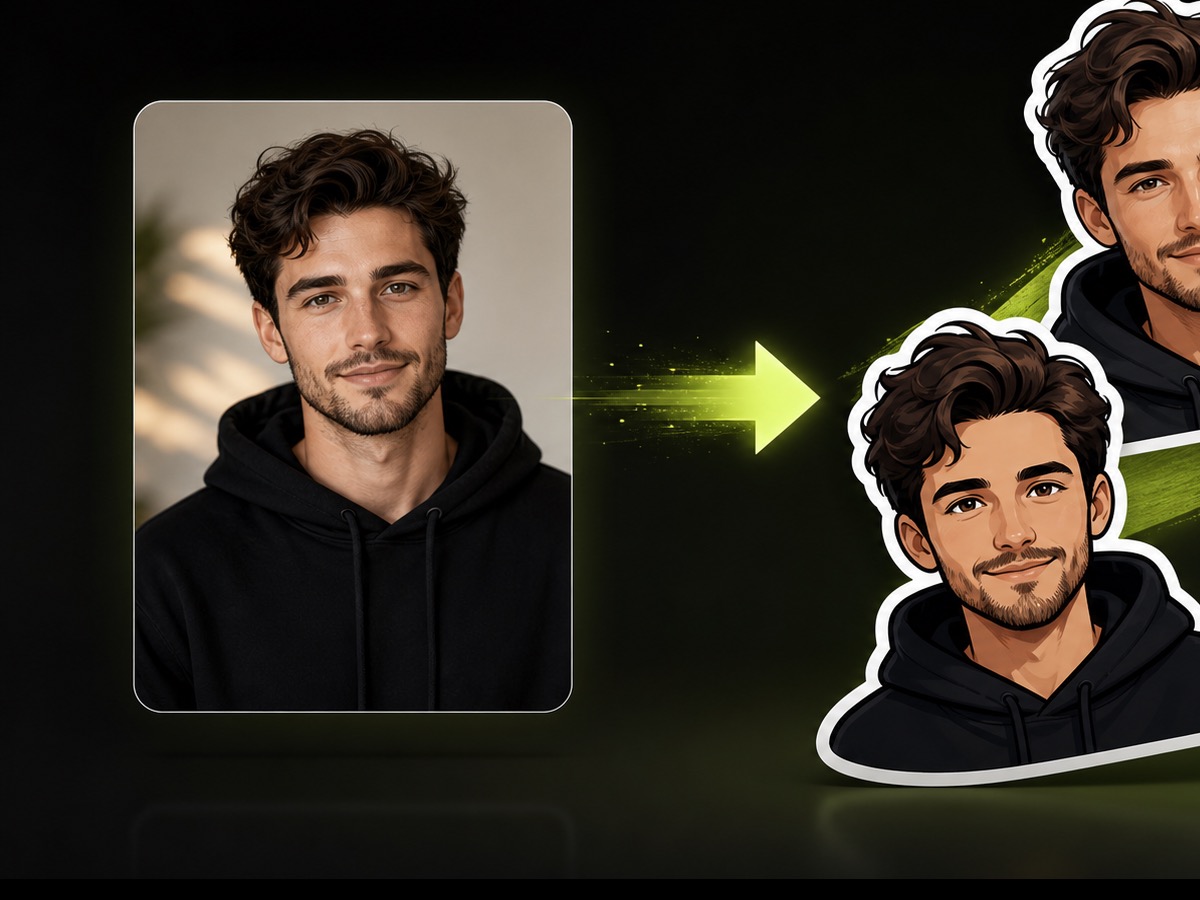
The AI face to sticker flow is built around one uploaded image and one prompt. Use photos you own, control, or have permission to edit before creating a sticker-style portrait.
Guide the Look With a Prompt
Describe the mood, sticker style, expression, outline, colors, or avatar direction. A clear prompt helps the model turn the source photo into a more useful creator asset.
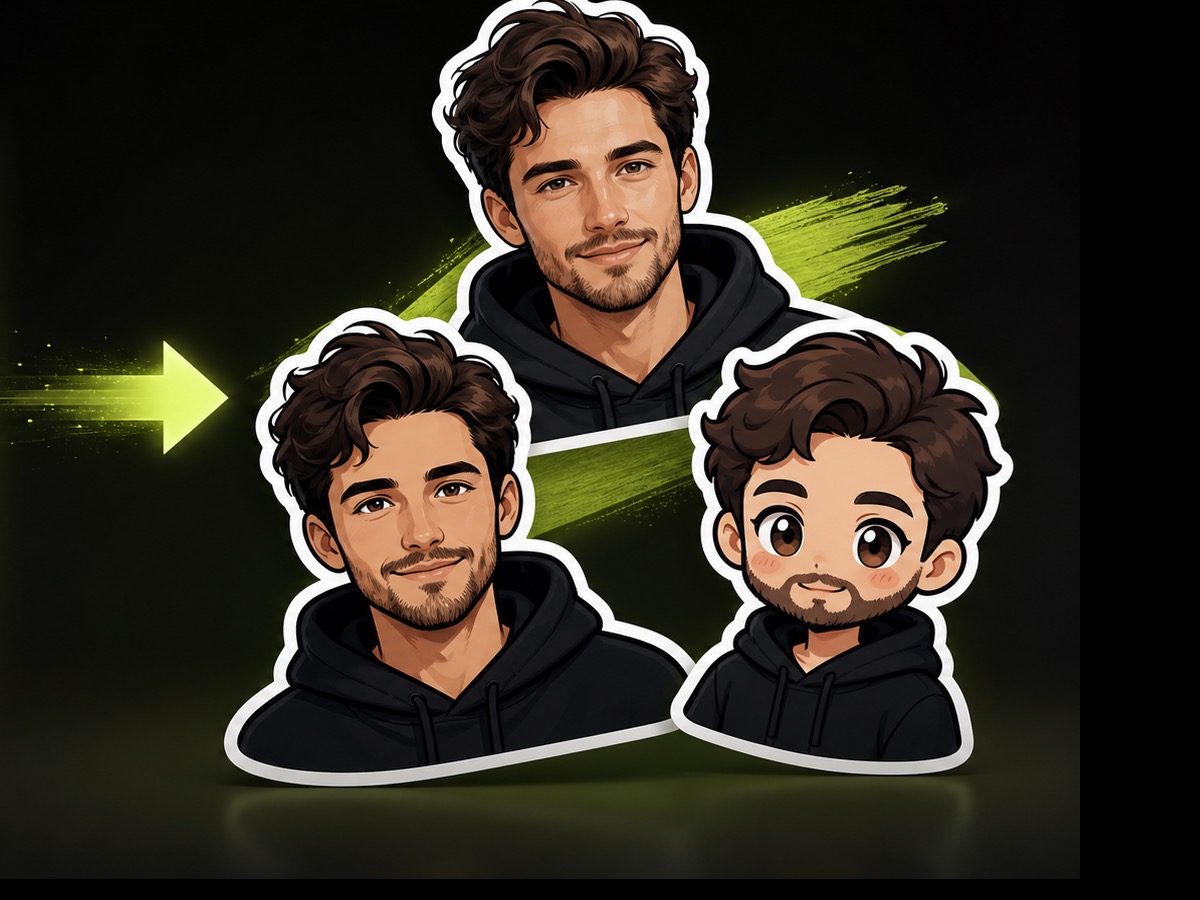
Use Sticker Portraits in Content Planning
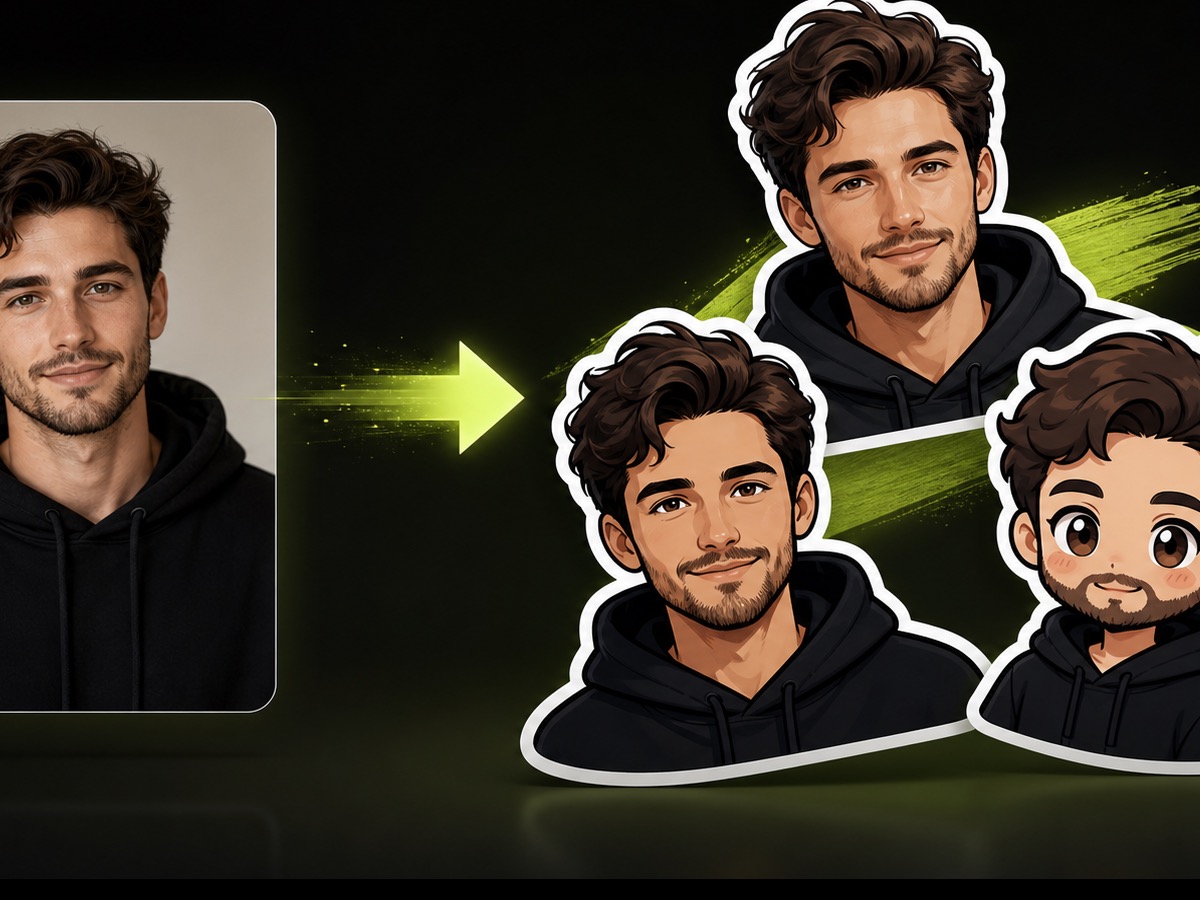
A sticker portrait can support creator reactions, profile graphics, story cards, community posts, and avatar asset boards before the asset moves into editing.
Portrait-to-Sticker Questions
- the AI face to sticker page helps turn one authorized portrait into a sticker-style image for creator profiles, reactions, story assets, avatar concepts, and social asset boards.
- Upload one image, write a prompt, and start the task. The current workflow uses the image and prompt together to create one sticker-style portrait concept.
- The current task uses 15 credits per run. Use it for selected profile photos or avatar concepts where a sticker-style result will support repeated content use.
- Use your own photo, licensed material, or images where the person has given permission. Avoid turning private or unauthorized portraits into sticker content.
- Yes. A clear image and focused prompt can create an avatar sticker concept for a creator profile, social reaction, community post, or profile asset set.
- Mention the expression, style, outline, color mood, and use case. For example, describe whether the generated portrait should feel playful, cute, bold, mascot-like, or creator-branded.
- The current page is built for one uploaded image and a single generated task. For more variations, run the task again with a revised prompt or a different authorized image, then compare which draft most closely matches the intended expression, outline, and social use case.
- The current task estimate is about 15s, but actual timing can vary. Review the generated result in the task list when processing finishes.
- A sticker portrait can become a creator reaction, channel mascot, profile accent, story card, or social sticker that supports a larger still-image workflow.
- AI face to sticker pairs well with the AI sticker generator, image editor, background remover, and image upscaler when a portrait asset needs to become social content.
Related Clipin tools
Continue from this tool into the adjacent generator, editor, or pricing page.